【Getting Started】How to import and export scraping task | Web Scraping Tool | ScrapeStorm
2019-09-18 08:41:01
53011 views
Abstract:This article describes the operation flow of importing and exporting scraping task. ScrapeStormFree Download
1. Import Scraping Task
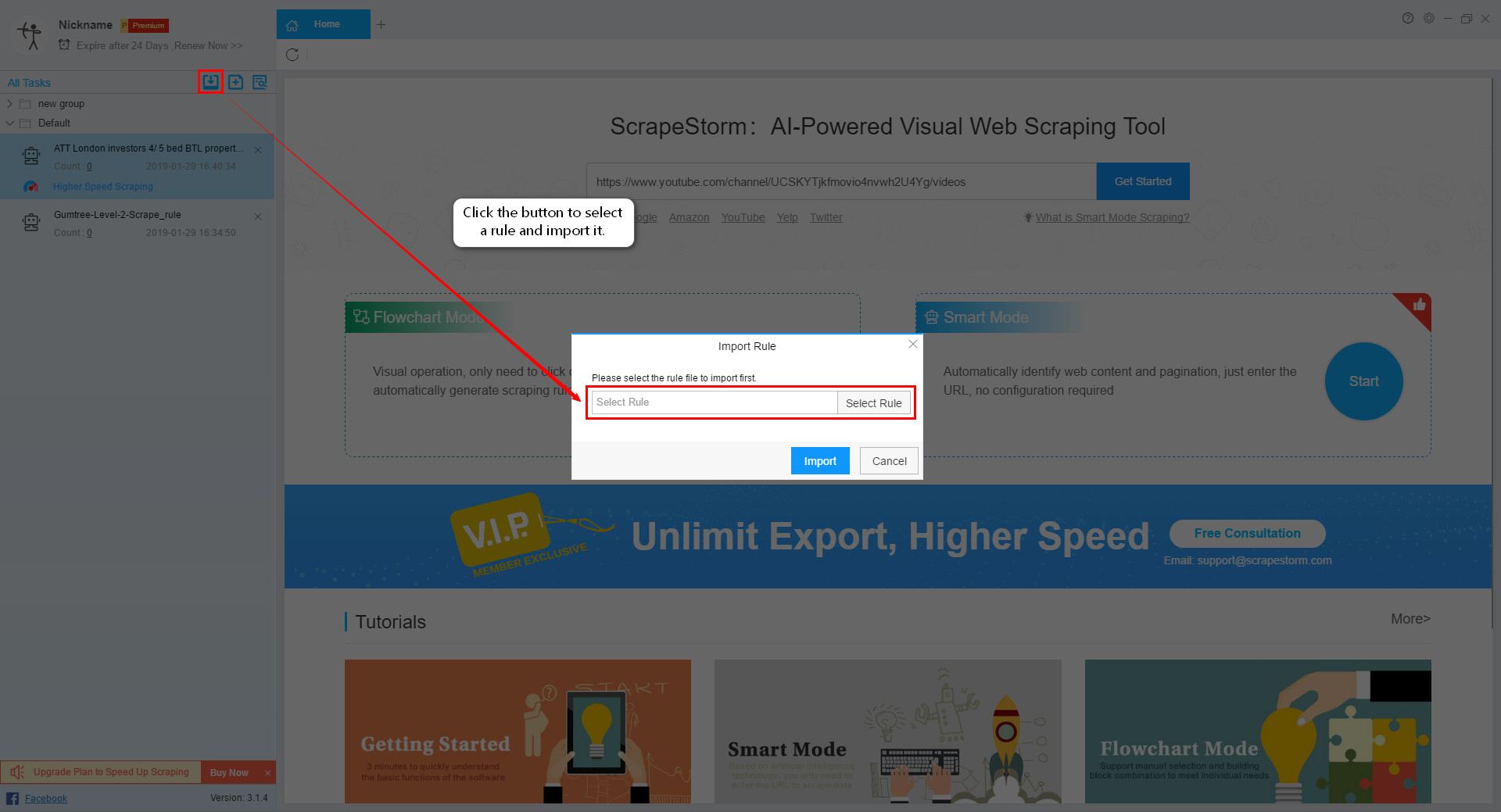
If you have existing task that need to be imported, click the New button in the upper left corner and select “Import Task”.
2. Export Scraping Task
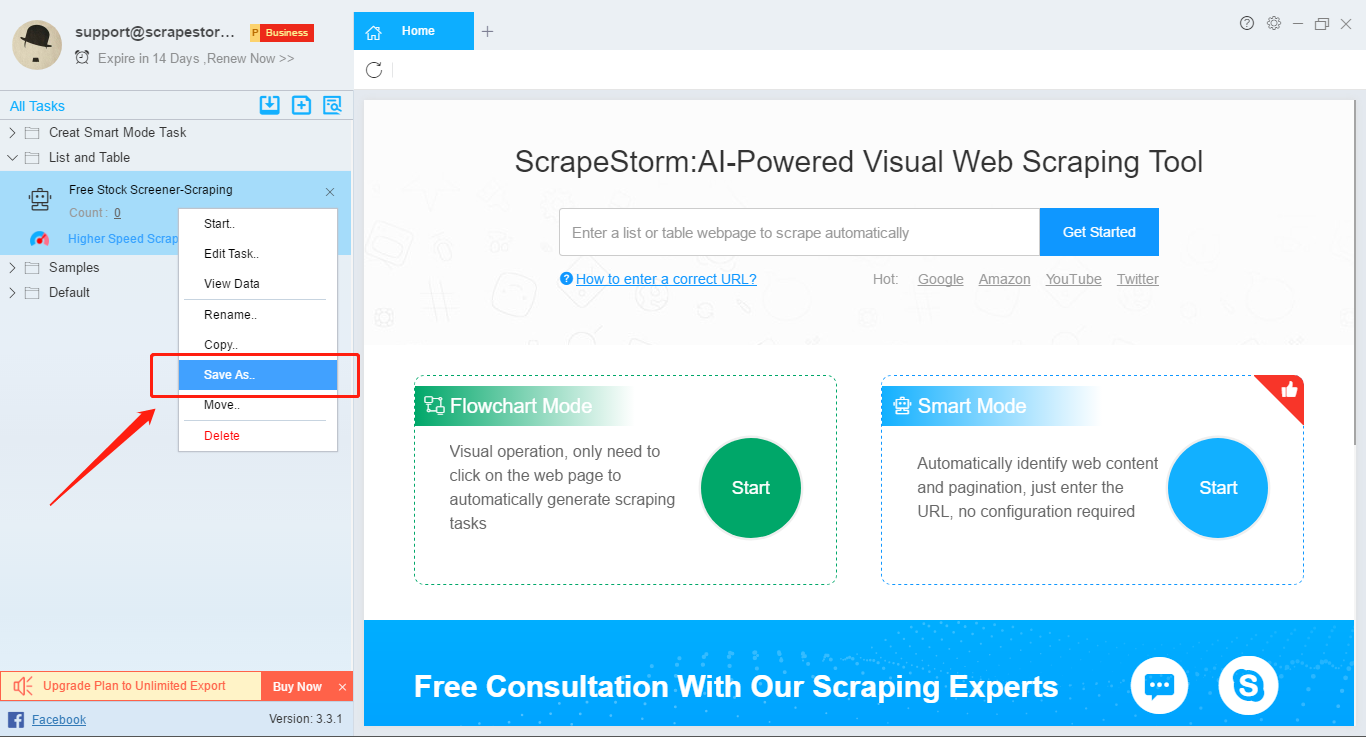
If you need to export the task, right click on the task,
select “Save as” and save the scraping task locally.