How to solve the problem that the website cannot be opened in the software? | Web Scraping Tool | ScrapeStorm
Abstract:Answer to "How to solve the problem that the website cannot be opened in the software?" ScrapeStormFree Download
Question:
How to solve the problem that the website cannot be opened in the software?
Answer:
1. Check whether the webpage can be opened normally in the browser. If it cannot be opened in the browser, it is a problem with the webpage itself.
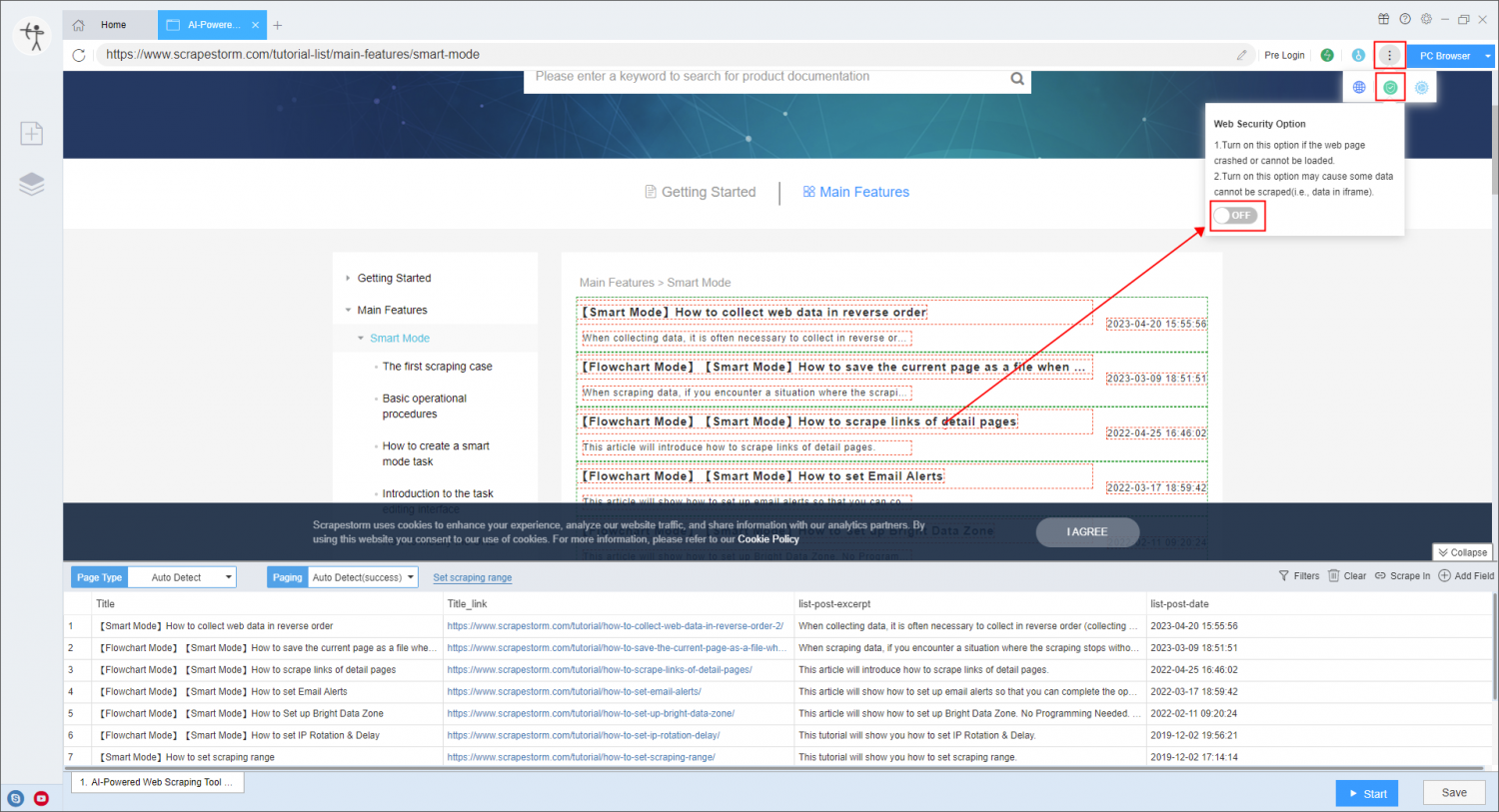
2. If it can be opened in the browser but not in ScrapeStorm, you can try to enable the Web Security Option in the task settings.
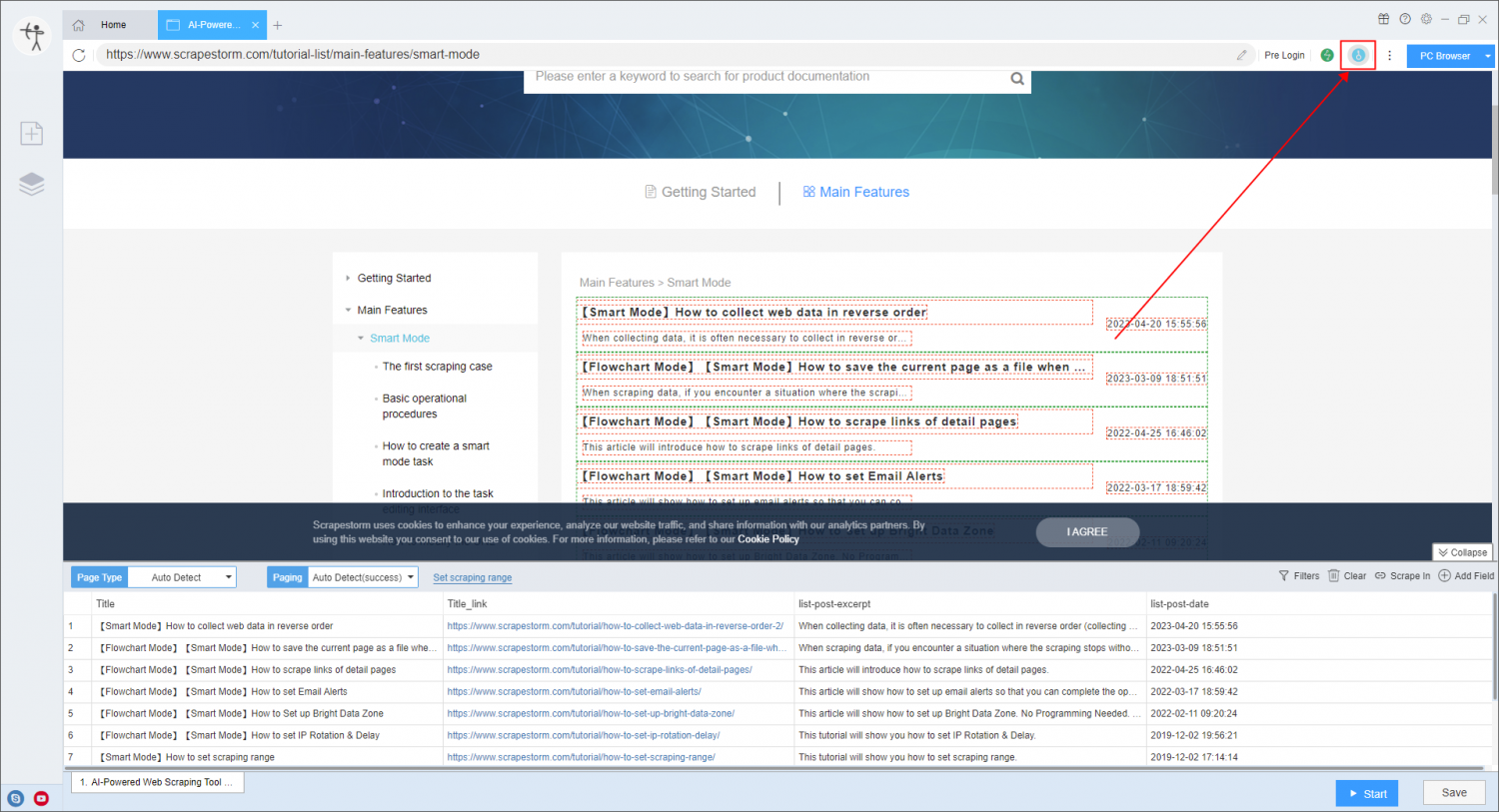
3. Click the “Solve captcha” (blue) button in the upper right corner, and then click to visit the home page of the website you entered in the pop-up window.
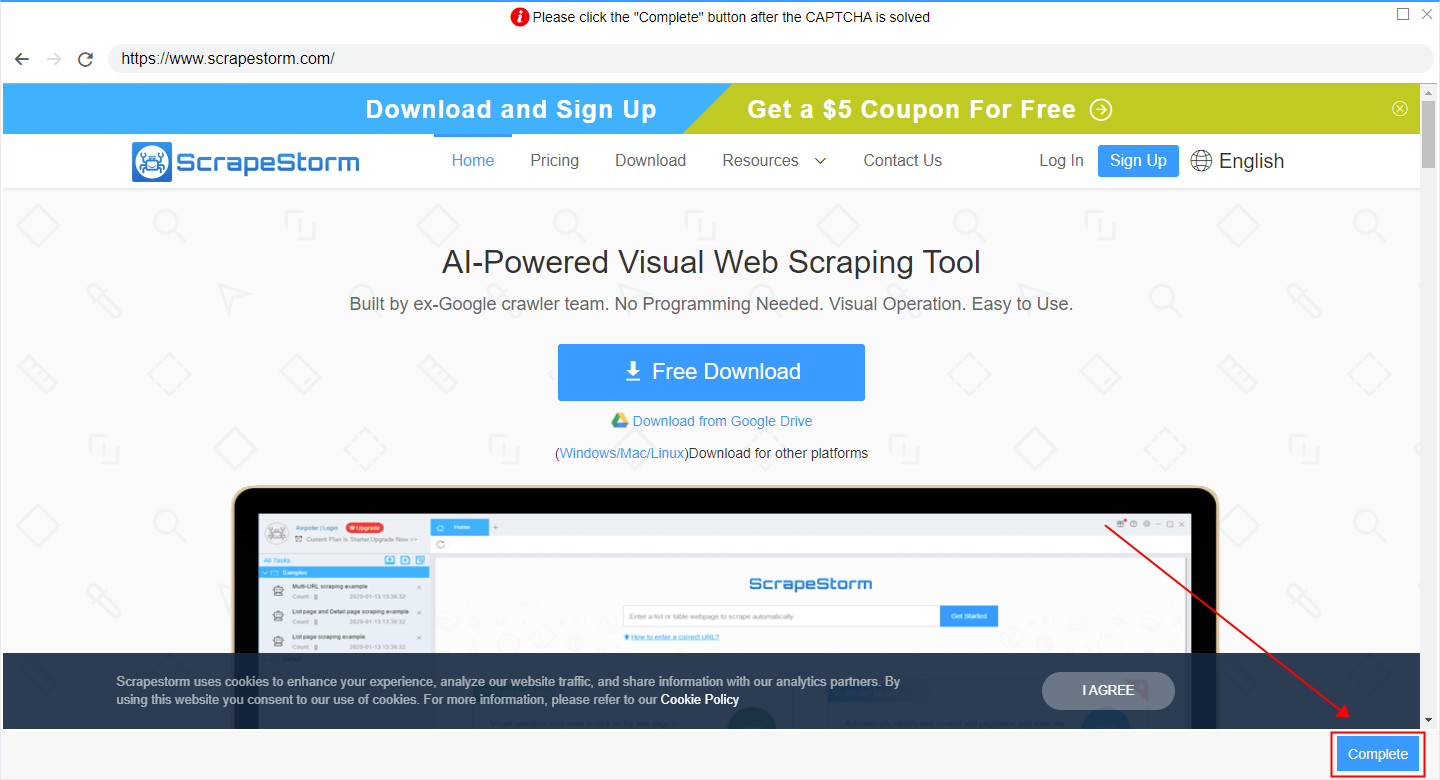
After opening the homepage normally, click “Complete” in the lower right corner of the pop-up window, so that the software should be able to access normally.